Building a Second Brain in Obsidian
My Workflow for Cyber Security & Software Engineering Notes
As a software engineer, cyber security student, and father of two, I constantly juggle a lot of information. There are too many things to remember, and my brain simply can’t handle it alone.
Fortunately, I have a second brain right inside Obsidian.
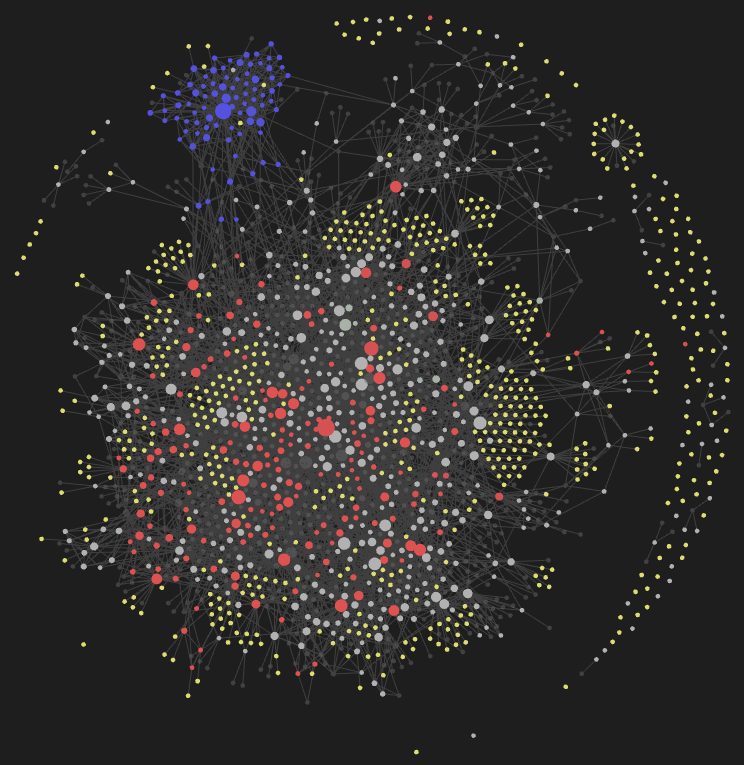
In this post, I’ll share my simple, effective workflow for taking, refining, and organizing technical notes in fields like software engineering and cyber security.
Why Obsidian?
I’ve tried many note-taking tools over the years (Notion, Standard Notes, Notesnook, Joplin, Evernote, Logseq, Trillium, Notable, QOwnNotes…). None of them felt quite right, until I landed on Obsidian.
Here’s why it works for me:
- Plain Markdown files → My notes are just text files in Markdown. If Obsidian ever disappears, my notes remain usable. I can back them up with Git and sync however I like.
- Data under my control → The notes live locally. If I use Obsidian Sync, they’re end-to-end encrypted. It means no central server exploit can expose my thoughts.
- Back-links → The ability to easily create links with
[[this format]]was a true game-changer. It makes connections between ideas visible — often between concepts I didn’t realize were related. - Flexibility & plugins → Templates, customization, community plugins, and a thriving community all add up. Obsidian has the features I need without locking me in.
Step 1: Capturing Notes Quickly
The first step is to capture thoughts instantly.
I don’t overthink where to store them or how to name the file. If I hear a new concept, it needs to go into my second brain immediately.
- On desktop:
CTRL + N, type the note, done. - On mobile: Open the app, hit
+, type the thought, done.
Example: If I hear about Caller ID Spoofing in a cyber security podcast:
CTRL + N- type “caller ID spoofing”
- saved in seconds.
All new notes land in my 01_inbox folder. These raw notes are “fleeting.” They may be messy, incomplete, and unstructured — but they’re safe, not lost.
Step 2: Capturing Files Quickly
Ideas don’t always come as words. Sometimes it’s a screenshot, article, or PDF.
- Screenshot →
CTRL + N, thenCTRL + V. - PDF → Drag and drop into a new note.
- Mobile → Share directly to the Obsidian app.
I configured Obsidian so that all attachments (images, PDFs, etc.) go into a 99_attachments folder. This way, files don’t clutter the inbox - the note referencing them is what matters.
Step 3: Refining Fleeting Notes
Later, when I have time, I revisit the inbox to refine notes.
Let’s say I open my Caller ID Spoofing note:
- I quickly research (Google, Wikipedia, blogs, Perplexity, etc.).
- I then summarize the core ideas in short bullet points and my own words.
- I keep the definition concise. I want a quick reminder, not a mini-Wikipedia.
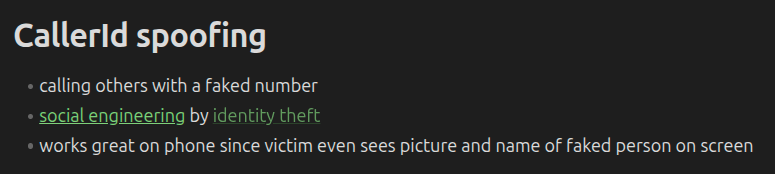
This ensures searching my notes is faster than Googling again.
Using Back-links
While refining notes, I make heavy use of [[back-links]].
You can create a link to any note by typing its name inside [[ ]].
- If the note already exists, you even get auto-completion (like in a bash terminal) → super satisfying for developers.
- If the note doesn’t exist yet, you can still create it as a back-link. From then on, auto-completion works—even before the actual file has been created.
This way, when I mention technical topics or concepts, I just back-link them right away:
- Social Engineering →
[[Social Engineering]] - Identity Theft →
[[Identity Theft]]
These are concepts that I know will definitely show up again later, so it makes sense to link them.
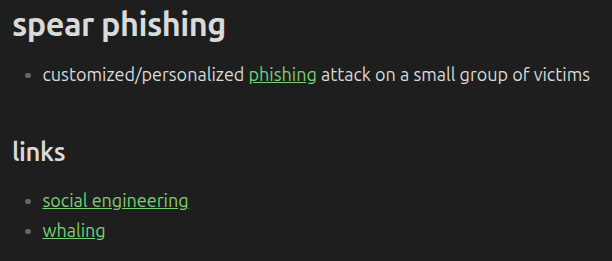
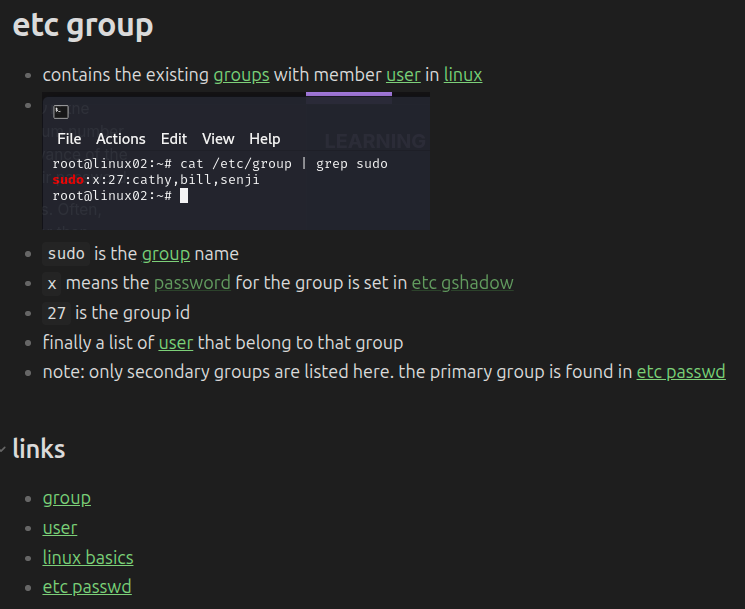
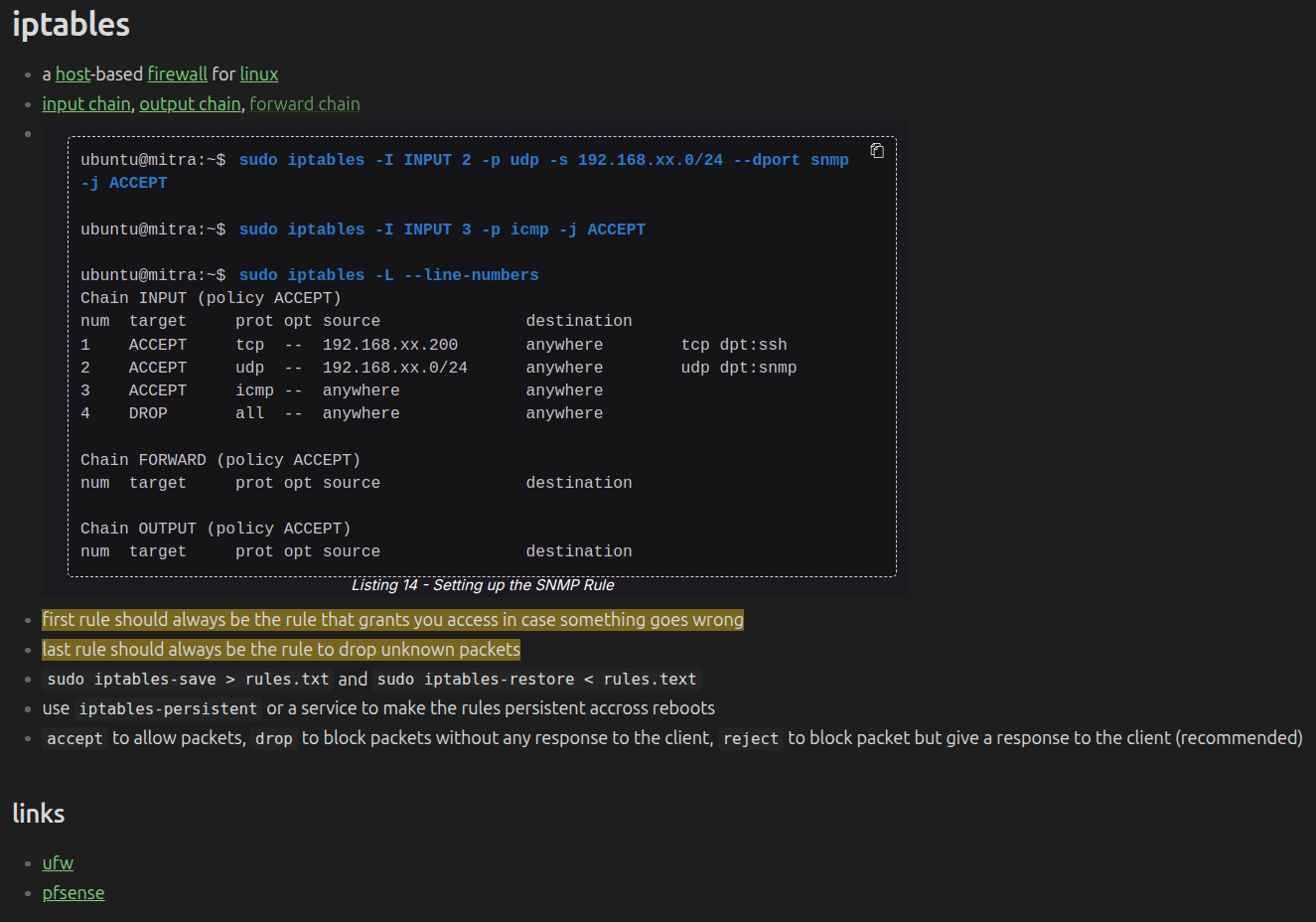
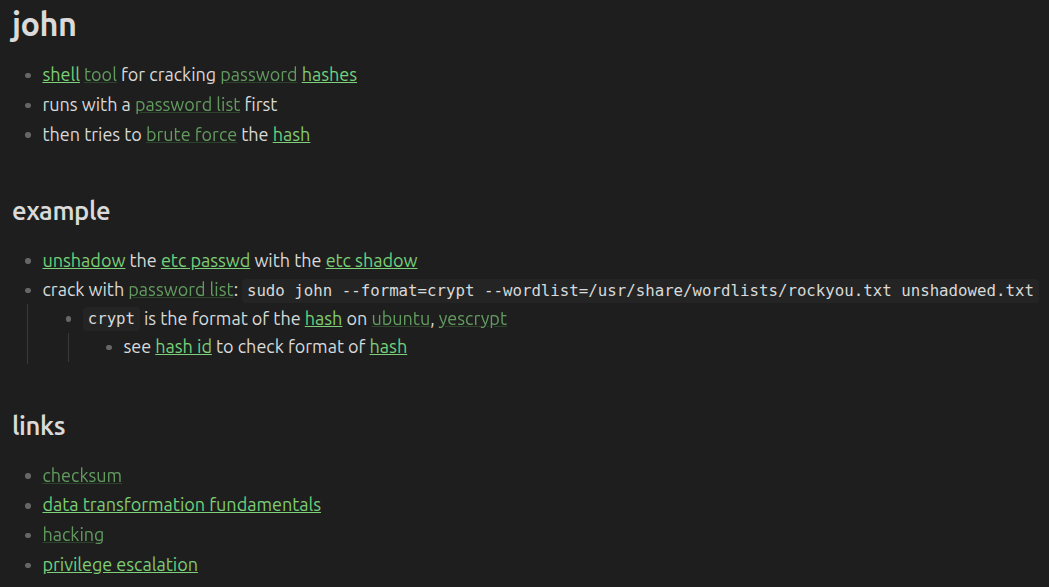
At the bottom of many of my notes, I also add a Links section. Here I include related thoughts and associations that come to mind - even if they didn’t appear in the body text. For example:
[[Netzsicher]](the podcast where I picked up the idea)[[Cybersecurity]](the broader umbrella topic)[[Phone]](an obvious mental connection)
This Links section helps turn each note into a hub for related ideas - whether they are similar, or contrasting. My personal rule of thumb is that every note should connect to at least one other note.
Here are more examples:
Step 4: From Fleeting Notes to Atomic Notes
Once a note is refined, I drag it from 01_inbox into 02_notes.
These “atomic notes” each cover a single idea or concept in a distilled way.
What’s the benefit?
- Writing in my own words forces true understanding.
- Even if I forget later, I can retrieve the knowledge by searching or following links.
- Searching for “phone” or “identity theft” or “fake number” will lead me back to *Caller ID Spoofing*.
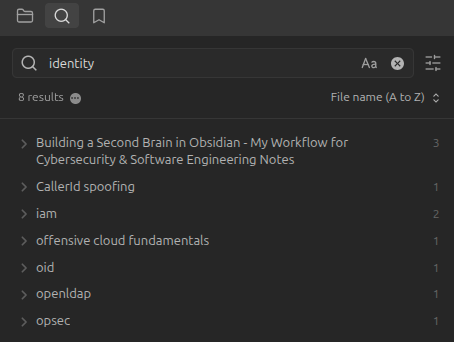
Thanks to back-links, I can also trace related ideas:
Checking my Social Engineering note’s back-links may lead me back to Caller ID Spoofing. This is where the graph view really shines.
Step 5: Deeper Learning Through Iteration
Sometimes I want to expand further.
If I keep linking to [[Social Engineering]], eventually I’ll create that note and build it out using the same steps. Over time, my graph grows richer — not by force, but organically, based on what I revisit.
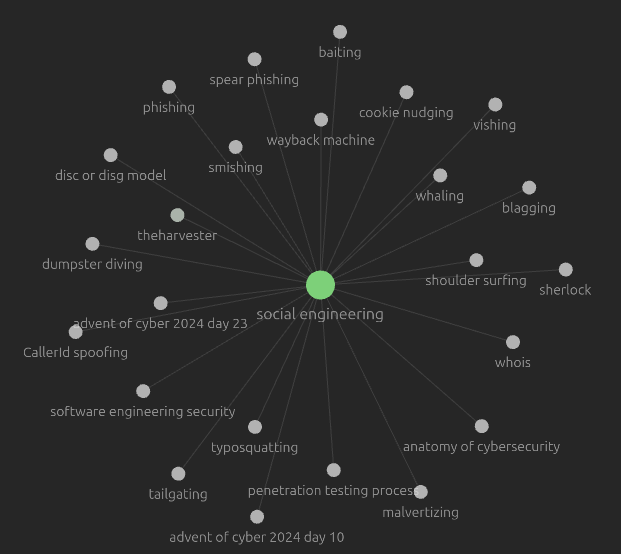
This iterative process builds a living knowledge system where concepts connect naturally.
Keep It Simple
There’s so much more I could share:
- Using templates to add structured, query-able metadata to notes
- Organizing courses via bases
- Randomly resurfacing and polishing older notes
But here’s the important takeaway: start simple.
Don’t chase complicated workflows, zettelkasten theories, or dozens of plugins. Start capturing. Start linking. Start refining. The second brain will build itself.
Summary
This is my workflow for capturing, refining, and organizing technical knowledge in Obsidian:
Capture quickly (fleeting notes → inbox).
Attach files easily (screenshots, PDFs, images → attachment folder).
Refine notes with short bullet point summaries in my own words.
Back-link aggressively to link concepts together.
Move refined notes into a structured folder of atomic notes.
Iteratively build knowledge through back-links and deeper notes.
I’ve used this system for years while learning cyber security and software engineering. It’s not perfect, but it works — and more importantly, it grows with me.
If you’re starting your own note-taking journey, my advice is simple: just start.
Your second brain doesn’t have to be perfect on day one - it just has to start working for you.
FAQ
❓ How is your folder structure?
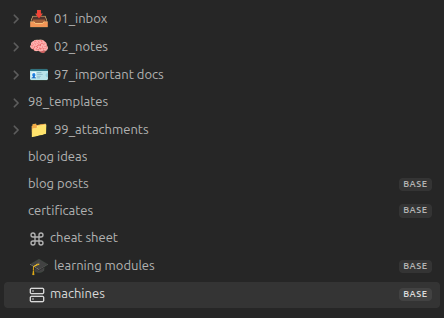
Very minimal. I only keep a few top-level folders for this workflow:
- 01_inbox → New, fleeting notes (raw, unrefined).
- 02_notes → Refined, atomic notes in my own words.
- 99_attachments → Images, PDFs, and other files.
That’s it. I prefer not to over-complicate with too many sub-folders — back-links do most of the organizational work for me.
❓ Do you share your vault?
No. My vault contains private notes, work references, and personal thoughts. That said, the method is what’s important — not the content. You can build your own system using the same structure.
❓ Why is writing in your own words so important?
This is the core of my workflow. I never just copy-paste from articles or books. Instead, I summarize and rephrase in my own words.
This simple step:
- Forces me to actually understand the topic.
- Makes retrieval easier later, since I’ll recognize my own phrasing.
- Prevents turning my vault into just another dump of external info.
If you skip this, you essentially skip the real learning part.
❓ Where do you study cyber security?
I started with the SEC-100 certificate from OffSec.
Currently, I’m taking the CPTS (Certified Penetration Testing Specialist) course on HackTheBox.
❓ How long did it take to build your graph?
I’ve been taking notes like this for 2–3 years.
It grows more quickly when I’m reading a technical book or taking a course, and more slowly when I’m just doing daily work.
The graph is a byproduct — it emerges naturally over time, not something I actively try to “grow” for its own sake.
❓ Isn’t this a lot of work?
Yes, it takes time to write good notes. But the benefits compound over years:
- Writing and linking forces deeper understanding.
- Notes become my first lookup point before I turn to Google or AI.
- Over time, I’ve built a “second brain” that saves me hours of re-learning the same things.
In short: yes, it’s effort, but it pays off more than any quick-copy method ever could.
👉 Your turn:
- What’s your workflow for keeping technical knowledge organized?
- Do you have a favorite Obsidian tweak I should try?
Let’s compare notes and keep learning together.